
Phone screen help
Cracked Phone Screen: What to Do Before Repair
Safe steps for damaged glass, displays and touch problems.
Read the guide →
Answers before the repair
See real iPhone and PS5 repairs, follow a MacBook diagnostic, and find practical guidance for the problems customers bring to Phone Repair Guy.

PRG tech brief · September 2026
Missed Apple’s event? Compare the Pro, Pro Max and Duo before you spend.
Watch on YouTubeTap anywhere in this box to watch.
Featured guide
Darwin explains how to record iPhone Parts and Service History, distinguish Unknown, Used and Finish Repair messages, and ask clear questions before battery or screen service.
Read the guide →Safe steps for damaged glass, displays and touch problems.
Read the guide →
Cloud saves, USB backups and a drive full of installed games are different. Check what is protected before PS5 repair, and what to tell the shop when there is no picture.
Read the guide →
Find your iPad model without guessing from its age or screen size. Darwin explains what to send for a screen, battery or charging repair quote when Settings is unavailable.
Read the guide →
Darwin explains where Apple Watch backups live, what Health and Fitness data needs, and why erasing or unpairing should not be the first step in a repair quote.
Read the guide →Darwin explains how to request a combined iPhone screen and battery evaluation, separate damage from battery aging, and compare the scope, parts and written coverage before approval.
Read the guide →Darwin explains how to check an iPhone backup before screen repair, why a computer may still need working touch, and when to stop rather than erase the phone.
Read the guide →
Darwin explains the safe checks to make when a MacBook feels slow, what to record in Activity Monitor, and when to stop before repair.
Read the guide →Darwin explains what to do after liquid reaches a MacBook, why a fading screen mark does not prove the inside is dry, and how to protect the files before repair.
Read the guide →Darwin explains how to separate a blocked charging port from connector damage, which checks are safe, and when to stop before causing more damage.
Read the guide →Darwin explains what to do when a Samsung Galaxy still turns on but the screen password is forgotten and important photos may exist only on the phone.
Read the guide →Darwin explains what to check when a Samsung Galaxy battery drains fast, shuts down or stops charging at 80% or 85%, plus how to prepare safely for battery-replacement evaluation.
Read the guide →Darwin explains what to do when an iPad has a cracked screen and will not turn on after a drop, when to stop charging it, and how to protect the data before repair.
Read the guide →Darwin explains what to do when an Apple Watch screen cracks, lifts or stops responding, how to identify the exact watch, and how to prepare safely for a repair evaluation.
Read the guide →Darwin explains what black spots, an ink-like patch or a spreading dark area can mean after an iPhone screen cracks, what not to press, and how to protect your data before repair.
Read the guide →Darwin explains the difference between PS5 display troubleshooting and an erase-and-reset step, how to protect saved games, and what to tell the shop before repair.
Read the guide →Darwin explains how to tell a carrier lock from a forgotten phone passcode, what the official recovery paths can require, and what to prepare before asking for legitimate help.
Read the guide →Darwin explains what to check when a Samsung Galaxy power or Side button is stuck, loose or unresponsive, and how to protect the phone and data before repair.
Read the guide →Darwin explains what to do when an iPhone will not turn on after suspected liquid damage, when not to charge it, and how to make important data the priority.
Read the guide →Darwin explains the safe first steps when a Samsung Galaxy Book flashes the logo and will not start, including how to protect files before recovery or reset options.
Read the guide →Darwin explains the safe first steps when an iPhone freezes or shows a green line after a drop, including when to stop using it and how to protect the data.
Read the guide →Darwin explains what to do with a line, black patch or peeling inner-screen protector on a Motorola Razr, and how to protect your data before repair.
Read the guide →Darwin explains how to handle a cracked iPad screen safely, protect the data, and identify the exact model before repair.
Read the guide →Darwin explains how to handle cracked OnePlus back glass, protect the phone and data, and prepare the exact model details before repair.
Read the guide →Darwin explains how to separate damaged camera-cover glass from a Galaxy camera problem, what to test safely, and what to protect before repair.
Read the guide →Darwin explains how to separate cracked camera-cover glass from a camera problem, what to test safely, and what to protect before iPhone repair.
Read the guide →Darwin explains what Apple’s Liquid Detected charging warning means, how to dry the connector safely, when to stop testing, and what to protect before repair.
Read the guide →Darwin explains what to do when a Samsung Galaxy screen is badly cracked, how to protect your data, and what details the store needs before repair.
Read the guide →Darwin explains how to check iPhone battery health, what low maximum capacity means, when heat or swelling needs urgent attention, and what to prepare before repair.
Read the guide →Darwin explains what to do when iPhone back glass cracks, when to stop using it, how to protect your data, and what details matter before repair.
Read the guide →Darwin explains safe checks for a quiet or muffled iPhone earpiece, what not to put in the receiver opening, and what to tell the store before repair.
Read the guide →Darwin explains what to check when a Galaxy Z Flip screen flashes or shows a bright line, when to stop, and how to protect your files before repair.
Read the guide →Use Apple’s safe restart and recovery guidance for an iPhone frozen on the Apple logo, understand Update versus Restore, and protect important data before repair.
Read the guide →Use Amazon’s safe charging and restart checks for a Fire tablet that will not power on, protect important data, and prepare the right details before repair.
Read the guide →Learn how to distinguish a stuck Apple logo from charging, update and restore screens, protect your backup, and try Apple’s safe restart steps before repair.
Read the guide →Separate charging, no-power and black-screen symptoms on a Google Pixel, protect important data, and learn which safe checks to try before repair.
Read the guide →Separate no-power symptoms from Windows startup errors, understand Startup Repair and reset options, and protect your BitLocker recovery key before repair.
Read the guide →Understand the red lightning bolt, check the magnetic charger and Screen Curtain, and know when an Apple Watch needs a repair evaluation.
Read the guide →Learn what to check when an iPhone shows a picture but touch is slow, intermittent or unresponsive, and what details help before repair.
Read the guide →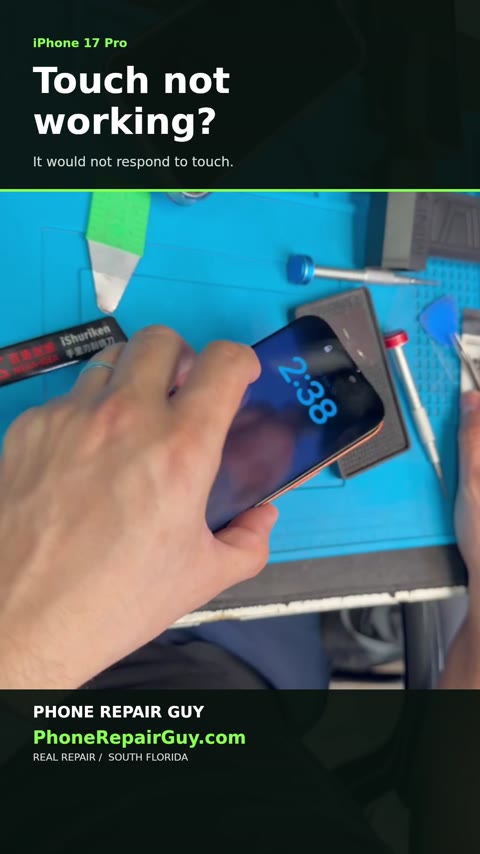
Watch a real iPhone 17 Pro repair at Phone Repair Guy: a faulty screen was diagnosed, replaced and checked for working touch.
Read the guide →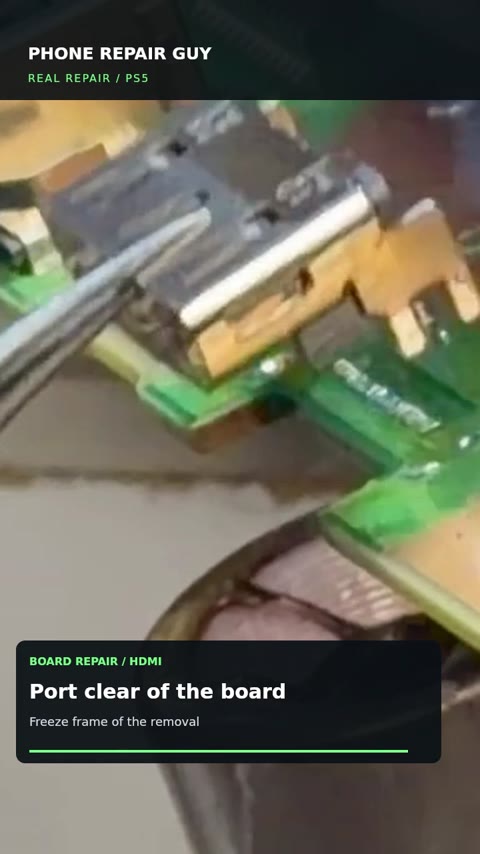
See the PS5 opened, the old HDMI port lifted off the board, the dirty fan and interior cleaned, and HDMI output checked after repair.
Read the guide →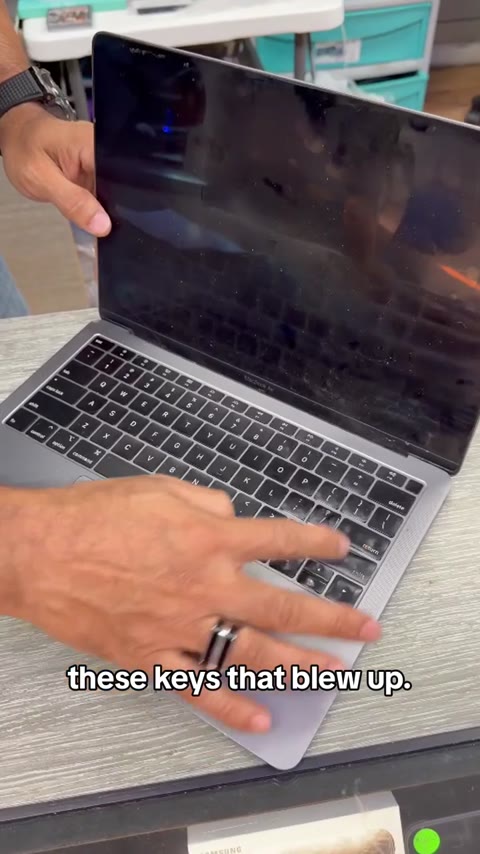
A real MacBook arrives with reported battery failure, burned keys and no power. Watch the initial diagnostic overview and learn the planned next steps.
Read the guide →Learn how to tell a blank Samsung Galaxy display from a no-power problem, what to check safely, and what information helps before repair.
Read the guide →Learn what Samsung’s water-drop warning means, how to dry the USB port safely, and when a Galaxy charging problem needs evaluation.
Read the guide →Learn how to separate a cable, adapter, temperature, battery or charging-port problem before arranging an iPad repair.
Read the guide →Learn how to separate an outlet, adapter, cable, charging-hold or battery-health issue from a MacBook hardware fault before repair.
Read the guide →Check battery health, describe charging symptoms and prepare the right model details for an Apple Watch repair evaluation in Broward County.
Read the guide →Practical first steps after a phone gets wet, what not to do, and what a repair technician needs to know before evaluating liquid damage.
Read the guide →Learn the warning signs of a swollen phone battery, what to avoid, and how to prepare the device for a professional evaluation.
Read the guide →A phone that will not charge may have a cable, port, battery, moisture, software or board-level problem. Learn what to check safely before repair.
Read the guide →
Understand the difference between restoring a phone and recovering important data when a device will not power on.
Read the guide →Learn which PS5 no-picture symptoms may involve the HDMI port, what else can cause them, and what to bring for a console evaluation.
Read the guide →Need repair help now?
We'll help you choose the right store and next step.